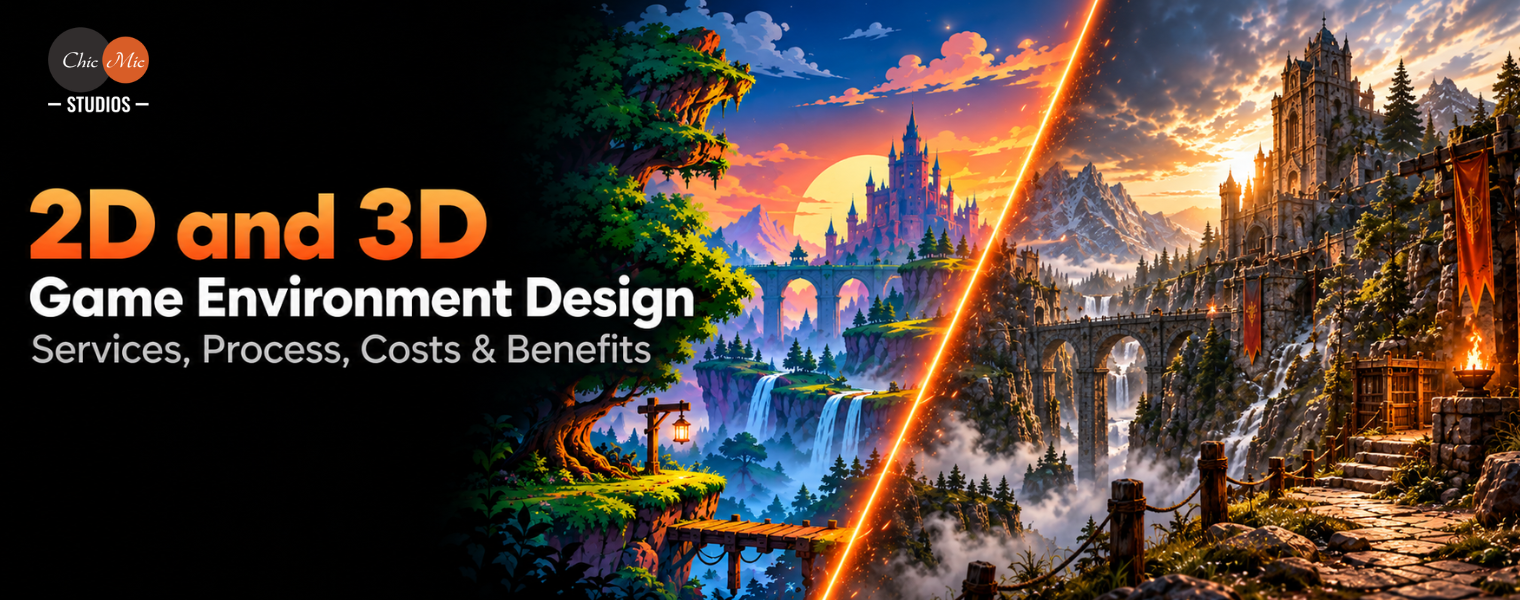
2D and 3D Game Environment Design: Services, Process, Costs & Benefits
Key Takeaways
- 2D game environment design services can include background creation, tilemaps, modular assets, props, parallax layers, and environment illustrations.
- 3D game environment design services commonly include environment modeling, texturing, material creation, modular kits, props, lighting, VFX, and optimization.
- The game environment design process typically moves from concept development and greyboxing to asset production, texturing, engine integration, lighting, polish, and optimization.
- 2D and 3D game environment design combines visual art, level design, technical implementation, and optimization to create functional and immersive game worlds.
Introduction
Game environments do more than provide a visual backdrop. They establish the world in which players move, interact, discover objectives, and experience a game’s story. From a hand-painted 2D forest to a fully modeled 3D city, environment design influences navigation, atmosphere, gameplay readability, and the overall visual identity of a game.
2D and 3D game environment design combines art, level design principles, technical production, and engine implementation to create environments that are both visually appealing and functional. The choice between 2D and 3D depends on factors such as game genre, camera perspective, art direction, target platform, production scope, and budget.
This guide explores the major services, production process, tools, costs, and benefits involved in professional game environment design.
What Is 2D and 3D Game Environment Design?
Game environment design is the process of creating the spaces, backgrounds, structures, terrain, props, lighting, and visual elements that make up a game’s world.
In a 2D game, environments are commonly constructed using sprites, tilemaps, illustrated backgrounds, parallax layers, and 2D effects. A platformer, puzzle game, strategy title, or mobile game may use a combination of these elements to create depth and visual variety without requiring a fully three-dimensional scene.
3D environments are built using models, materials, textures, lighting, terrain, particle effects, and other spatial elements. Players can potentially explore environments from different viewpoints, making 3D suitable for games where spatial interaction, exploration, or environmental storytelling is important.
The distinction is therefore not simply about visual quality. It is also about how the environment is constructed, rendered, optimized, and integrated with gameplay systems.
Want to Create Immersive 2D & 3D Game Environments for Your Next Project?
2D Game Environment Design Services
2D game environment design services cover the creation of visual spaces and assets for games that use a two-dimensional presentation.
Depending on the project, these services can include:
2D Game Background Design
2D game background design creates the visual layers behind gameplay. Artists may produce static backgrounds, parallax layers, illustrated landscapes, cityscapes, interiors, forests, fantasy worlds, or other thematic locations.
Backgrounds can be designed as individual scenes or as reusable components that allow a development team to construct multiple levels efficiently.
Tilemap and Modular Environment Design
Tile-based environments use reusable pieces such as floors, walls, platforms, terrain, doors, and decorative elements. A modular approach can reduce repetitive artwork and make level construction more flexible.
2D Props and Assets
Environment artists can create objects such as:
- Furniture
- Trees and vegetation
- Rocks and terrain elements
- Buildings
- Signs and decorations
- Platforms
- Doors and architectural elements
- Interactive environmental objects
Parallax and Layered Environments
Multiple visual layers can move at different speeds relative to the camera to create a sense of depth. This technique is particularly useful in side-scrolling and mobile games.
3D Game Environment Design Services
3D game environment design services involve creating spatial environments that can be viewed and interacted with from a three-dimensional perspective.
3D Game Environment Modeling
3D game environment modeling involves creating structures, terrain, buildings, landscapes, interiors, and other environmental elements as optimized 3D assets.
Depending on the visual target, artists may create low-poly, stylized, semi-realistic, or photorealistic environments.
Texturing and Materials
Models require materials and textures to define their surface appearance. Artists can create materials representing surfaces such as:
- Wood
- Stone
- Metal
- Concrete
- Glass
- Fabric
- Soil
- Water
- Snow
Modular 3D Environment Kits
Instead of creating every location as a single unique asset, artists can build modular kits containing reusable walls, floors, columns, doors, windows, roofs, terrain sections, and other components.
Modular production can make it easier to create large environments while maintaining visual consistency.
Props and Environmental Assets
3D environment production may also include decorative and gameplay-related props such as furniture, vehicles, machinery, vegetation, weapons, containers, signs, and architectural details.
Need End-to-End 2D & 3D Game Environment Design for Your Upcoming Game?
Types of Game Environments
Environment requirements vary considerably by genre and art direction. A professional game environment design company may create environments such as:
- Fantasy kingdoms and villages
- Science-fiction facilities and planets
- Modern cities and urban spaces
- Medieval architecture
- Forests, mountains, and natural landscapes
- Post-apocalyptic environments
- Interior spaces and buildings
- Underwater environments
- Stylized cartoon worlds
- Realistic military or industrial locations
- Mobile game environments
- Virtual reality environments
The environment style should support the gameplay rather than compete with it. For example, a competitive game may require strong visual readability, while a narrative exploration game may place greater emphasis on environmental detail and atmosphere.
Difference Between 2D and 3D Game Environment Design
The main difference lies in how visual information and spatial relationships are represented.
| Factor |
2D Environment Design |
3D Environment Design |
| Asset format |
Sprites, illustrations, tilemaps |
3D meshes, textures, materials |
| Spatial representation |
Two-dimensional |
Three-dimensional |
| Camera |
Usually fixed or constrained |
Can support free or dynamic viewpoints |
| Modeling requirements |
Generally limited |
Extensive modeling pipeline |
| Lighting |
Often artwork- or shader-driven |
Real-time or baked lighting systems |
| Production complexity |
Generally lower for comparable scope |
Generally higher for comparable scope |
| Performance |
Often lighter |
Requires more optimization |
| Typical strengths |
Stylized presentation and efficient production |
Spatial depth, exploration, dynamic environments |
| Common use cases |
Platformers, puzzles, casual games |
RPGs, racing, simulation, action, exploration |
How to Choose Between 2D and 3D Environment Design
Several factors should be considered before selecting an environment pipeline.
Game Genre
A side-scrolling platformer may benefit from 2D environments, while a racing or open-world game may require 3D environments because spatial depth and camera movement are central to the experience.
Art Direction
Some games intentionally use hand-painted, pixel-art, vector, or illustrated environments. Others require realistic or stylized 3D worlds.
The artistic objective should determine the production method rather than the assumption that one format is inherently superior.
Camera Perspective
Camera design is particularly important. Fixed-camera or side-scrolling games can often use 2D assets efficiently, while games requiring free camera movement generally benefit from 3D assets.
Target Platform
Mobile devices, PCs, consoles, and VR hardware have different performance characteristics. Environment artists must consider memory usage, texture resolution, geometry complexity, draw calls, lighting, and other rendering factors.
Production Scope
A project with hundreds of unique locations and assets requires a different production strategy from a game with a small number of compact environments.
Game Environment Design Process
A professional environment pipeline normally moves through several stages.
1. Pre-Production and Reference Gathering
The process begins by defining the game’s visual direction. The team may study architectural references, photography, concept art, cultural references, existing game styles, and other visual material. Mood boards and color palettes help establish the intended atmosphere.
2. Concept Art and Environment Design
Artists develop environment concepts that define composition, architecture, materials, scale, and visual hierarchy. For 2D projects, this could involve background illustrations and scene layouts. For 3D projects, concepts can guide the modeling and modular asset pipeline.
3. Greyboxing and Blockout
Before producing high-detail assets, designers create simplified versions of the environment. In a 3D workflow, this may involve primitive geometry representing buildings, rooms, terrain, and pathways. The purpose is to validate:
- Scale
- Player movement
- Camera positioning
- Navigation
- Level pacing
- Sightlines
- Gameplay space
4. Asset Production
Once the environment structure is approved, artists produce the required assets. For 2D environments, this can involve sprites, illustrations, tile sets, backgrounds, and layered artwork.
For 3D environments, production may include modeling, UV mapping, sculpting, retopology, texturing, and material creation.
5. Texturing and Materials
Artists apply textures and materials appropriate to the selected visual style. A realistic environment may require physically based materials, while a stylized game may use simplified textures and custom shaders.
6. Engine Integration
Assets are imported into the selected game engine and configured for gameplay.
This can include:
- Collision setup
- Materials
- LODs
- Prefabs
- Lighting
- Navigation
- Physics properties
- Particle effects
- Animation
- Shader configuration
7. Lighting and VFX
Lighting significantly affects how players perceive an environment. Artists may use directional lights, point lights, spotlights, baked lighting, dynamic lighting, fog, post-processing, and particle effects to establish atmosphere and visual hierarchy.
8. Optimization and Testing
The final environment must perform within the target hardware limitations.
Optimization can involve:
Performance testing should happen throughout production rather than being treated solely as a final-stage activity.
Tech Stack Used for Game Environment Design
The production tools depend on whether the project is primarily 2D or 3D.
2D Environment Tools
Common tools include:
- Adobe Photoshop
- Adobe Illustrator
- Krita
- Aseprite
- Other digital painting and sprite-production tools
These can be used for concept art, background design, sprites, tile sets, and visual effects.
3D Environment Tools
Common 3D production tools include:
- Blender
- Autodesk 3ds Max
- Autodesk Maya
- Substance 3D Painter
- Substance 3D Designer
These tools support modeling, UV creation, texturing, material production, and other stages of 3D asset development.
Game Engines
Unity game environment design workflows typically involve importing environment assets, creating prefabs, configuring materials and lighting, setting collisions, and optimizing scenes for the target platform.
Unreal Engine environment design can involve modular assets, materials, lighting, terrain, Nanite-compatible workflows where appropriate, LOD strategies, and environment assembly using Unreal Engine’s level and world-building tools.
The choice of tools should be based on the game’s requirements and the development team’s existing pipeline.
Benefits of Professional Game Environment Design
Professional environment production can provide benefits beyond visual quality.
Better Player Immersion
Environment composition, materials, lighting, sound integration, and environmental details can establish a stronger sense of place.
Improved Gameplay Readability
Visual hierarchy can help players understand where they can move, what objects are interactive, and where important objectives are located.
Lighting, color contrast, architecture, landmarks, and pathways can all contribute to navigation.
Consistent Art Direction
A structured environment pipeline helps maintain consistent proportions, materials, lighting, color palettes, and asset quality across multiple levels.
Scalable Production
Modular environment kits and reusable assets can help teams build additional levels without creating every component from scratch.
Better Technical Performance
Experienced environment artists understand that visual quality must be balanced with rendering and memory limitations. This is particularly important for mobile games, VR, and large-scale environments.
Benefits of Game Environment Art Outsourcing
Game environment art outsourcing allows development studios to supplement their internal teams with external environment artists and technical specialists.
Common advantages include:
Access to Specialized Skills
An outsourcing partner may provide artists experienced in specific styles, platforms, engines, or technical workflows.
Flexible Team Capacity
External teams can be scaled according to project requirements instead of requiring permanent internal hiring for every production phase.
Faster Asset Production
A dedicated environment team can work in parallel with gameplay programmers, designers, and internal art teams.
Support for Partial Production
Outsourcing does not necessarily mean handing over an entire game. A studio can outsource specific components such as:
Game Environment Design Cost
The game environment design cost depends on considerably more than whether a project uses 2D or 3D.
Important cost factors include:
- Number of environments
- Number of unique assets
- Art style
- Level size
- Asset complexity
- Character and environmental animation
- Texture requirements
- Lighting complexity
- VFX
- Engine integration
- Optimization requirements
- Number of platforms
- Revision requirements
- Production timeline
2D environments are often more affordable for comparable projects because they can use sprites, tilemaps, and layered artwork rather than a complete 3D asset pipeline.
However, detailed 2D artwork, frame-by-frame animation, large numbers of unique backgrounds, or highly polished illustrations can still require significant production time.
3D environments generally introduce additional stages such as modeling, UV mapping, texturing, materials, lighting, optimization, and potentially rigging or animation. This can increase production requirements, particularly for detailed or large-scale worlds.
For this reason, a reliable quotation should be based on the actual asset list and project scope, rather than applying a generic “2D price” or “3D price.”
How to Choose a Game Environment Design Company
Choosing a game environment design company should involve more than reviewing a portfolio.
Consider the following factors:
Portfolio and Art Style
Look for previous work that matches the visual quality, genre, and artistic direction of your project.
Technical Expertise
For 3D projects, check whether the team understands optimization, materials, LODs, lighting, UVs, and engine integration.
Engine Experience
If your game uses Unity or Unreal Engine, the external team should understand the technical requirements of the target engine.
Production Process
Ask how the company handles concepts, approvals, revisions, asset naming, file organization, source files, and final delivery.
Scalability
Determining whether the team can handle a small 3D game environment design is the process of creating the visual spaces, backgrounds, structures, terrain, props, lighting, and atmospheric elements that make up a game’s world. batch of assets as well as a larger production requirement.
Communication
Clear communication is particularly important when environment production involves multiple iterations and approvals.
Relevant Case Studies
A portfolio shows what a team can produce. Case studies can provide additional information about the production challenge, workflow, technical requirements, and delivered solution.
Why Choose ChicMic Studios?
ChicMic Studios can position its game environment design services around the combination of art production and technical game-development requirements.
For prospective clients, the key areas to communicate should include:
- 2D and 3D environment production
- Environment concept development
- 2D game background design
- 3D environment modeling
- Props and modular assets
- Unity integration
- Unreal Engine integration
- Texturing and materials
- Lighting and VFX
- Environment optimization
- Flexible outsourcing models
Conclusion
Environment design connects a game’s visual identity with its functional spaces. Whether a project uses illustrated 2D backgrounds or fully modeled 3D worlds, successful environment production requires more than creating attractive assets. The environment must support gameplay, navigation, storytelling, atmosphere, and technical performance.
2D and 3D game environment design can involve concept development, modular asset creation, modeling, texturing, lighting, VFX, engine integration, and optimization. The right production approach depends on the game’s genre, art direction, platform, scope, and technical requirements.
For studios that need additional production capacity, the right partner like ChicMic Studios provides game environment art outsourcing that can provide access to specialized artists while allowing internal teams to focus on core game development.
FAQs
1. What is 2D and 3D game environment design?
2D and 3D game environment design is the process of creating the visual spaces, backgrounds, structures, terrain, props, lighting, and atmospheric elements that make up a game’s world. 2D environments typically use sprites, illustrations, and tilemaps, while 3D environments use models, textures, materials, lighting, and spatial assets.
2. What is the difference between 2D and 3D game environments?
2D environments represent game spaces using two-dimensional artwork such as sprites, backgrounds, and tilemaps. 3D environments use spatial models that can be viewed from different angles and support expensive projects with comparable scope because the asset pipeline can be simpler. However, cost depends on asset quantity, detail, animation, visual style, platforms, and technical requirements.
3. Is 2D environment design cheaper than 3D?
It is often less expensive for projects with comparable scope because the asset pipeline can be simpler. However, cost depends on asset quantity, detail, animation, visual style, platforms, and technical requirements. A highly detailed 2D environment can still require substantial production effort.
4. Can you create both 2D and 3D assets for one game?
Yes. A game can combine 2D and 3D assets. For example, a project might use 3D environments with 2D interface elements, sprites, visual effects, or illustrated backgrounds. Hybrid approaches can be selected according to the game’s artistic and technical requirements.
5. How long does environmental design take?
There is no universal production timeline. A simple 2D environment may require significantly less time than a large, detailed 3D environment. The number of locations, asset count, art style, level complexity, revision cycles, and engine requirements all affect the schedule.
6. Can you create Unity and Unreal-ready environments?
Yes. Environment assets can be prepared and integrated according to the technical requirements of Unity or Unreal Engine. This can include materials, prefabs, collisions, LODs, lighting, optimization, and other engine-specific configurations.
7. Do you provide environment concepts before production?
Environment concepts and mood boards can be created during pre-production to establish visual direction before detailed asset production begins. This allows the art style, color palette, architecture, composition, and atmosphere to be reviewed before moving into production.
8. Can I outsource only part of my project?
Yes. Game environment art outsourcing can be structured around specific production requirements. A studio may outsource concept art, props, 2D backgrounds, 3D modeling, texturing, level art, or optimization while keeping other development work in-house.
9. How much does game environment design cost?
There is no single fixed price. The cost depends on the number and complexity of environments, asset requirements, art style, modeling and texturing needs, engine integration, optimization, revisions, and project timeline. A detailed asset list and project specification provide a more reliable basis for estimating cost.
10. Can you optimize environments for mobile games?
Yes. Mobile environment optimization can involve polygon reduction, texture compression, LODs, efficient materials, lighting optimization, asset instancing, and draw-call management. The appropriate set, or established asset library.
11. Can you work with an existing art style?
Yes. Environment production can follow an existing art bible, concept direction, reference set, or established asset library. Matching existing proportions, materials, colors, lighting, and visual conventions is particularly important when adding environments to an existing game.
Want to Understand the Cost of Your Game Environment Project?